guide
How to describe a visual style to an AI tool
Answer in brief
To describe a visual style to an AI coding tool, name the material, the light, the density and the edges, then turn each into values. A model can build "a matte off-white panel with a 1px warm grey border and no shadow". It cannot build "elegant", because that word fits a thousand different interfaces.
Why adjectives fail
Words like clean, modern, premium, sleek and minimal describe a reaction, not a construction. The model has seen each of them attached to every kind of interface, so they pull the result toward the middle of everything it knows. Two people who both type "minimal dashboard" get nearly the same screen.
A useful test: could two designers read your sentence and draw the same thing? If not, the sentence is not doing work in the prompt.
Four things a model can act on
- Material. What the surfaces are made of: paper, enamel, brushed metal, frosted glass, soft plastic. A material implies a fill, a texture, an edge and a way of catching light, which is why one word of it does more than five adjectives.
- Light. Where it comes from and what it does. Lit from above gives a bright top edge and a shadow below. Lit from inside gives a glow that fades toward the edges and no drop shadow. No light at all gives flat fills and borders.
- Density. How much sits in a given area. State it as row height, padding and type size: 32px rows and 13px text is dense; 56px rows and 17px text is airy.
- Edges. Radius, border weight and how one surface meets the next. Hairlines and 4px corners feel technical. No borders and 28px corners feel soft.
Translate each into values
A named material is a start; the values finish it. "Paper" becomes an off-white such as #f6f3ec, a border one step darker, a very soft short shadow and ink that is nearly black but warm. "Lit from inside" becomes a radial gradient brightest at the centre of each element, an outer glow in the same hue at low opacity and a dark page so the glow shows.
Write the material word and the values together. The word gives the model a reason that ties the values to each other, and the values stop it drifting. When it has to make a choice you did not cover, the word tells it which way to lean.
Name what the style is not
Models have habits: a violet gradient, a glow behind headings, emoji as icons, glass on every card, a shadow under everything. If your style has none of these, say so in one line. Negative instructions work best when they name a specific habit, and less well when they are vague, as in "nothing tacky".
References, used carefully
Naming an era or an object can help: a field notebook, a hi-fi amplifier, a departures board. These carry a material and a density with them. Naming a company or a living designer is less dependable, because you cannot know what the model associates with the name, and copying someone's look is not a style of your own.
If your tool accepts images, a screenshot helps with layout and mood. Still write the values. A tool reading a picture estimates colours and sizes, and estimates drift.
A style block to put at the top of any UI prompt
Style: [material word, e.g. warm paper / dark enamel / brushed metal / frosted glass], lit [from above / from inside / not at all].

What that means in values:
- Page [#hex]. Surfaces [#hex]. Surfaces are told apart from the page by [a 1px border #hex / a shadow 0 1px 2px rgba(0,0,0,0.06) / a glow].
- Light: [a 1px highlight of rgba(255,255,255,0.6) on top edges / a radial gradient from #hex at the centre to #hex at the edge / none].
- Ink: text [#hex], secondary [#hex]. One accent [#hex], used on one element per view.
- Density: rows [44]px, padding [16]px, body text [15]px. [Dense / medium / airy] throughout; do not mix.
- Edges: radius [16]px on surfaces, [10]px on controls, borders [1]px. Icons inline SVG, [1.5]px stroke, round caps.
- Type: [typeface], weights [400 and 600] only.

This style does not use: gradients on text, glows behind headings, emoji, more than one accent colour, drop shadows over [8]px blur, or glass unless stated above.

If you need a value that is not listed, choose the one that fits the material and tell me what you chose.
Written for this page as a starting point; swap the parts in [brackets] for your own. The full prompt of each uberdesigner template is longer and specific to one finished design, and it is tested by rebuilding the template from the prompt alone.
Four designs where the material does the work
-
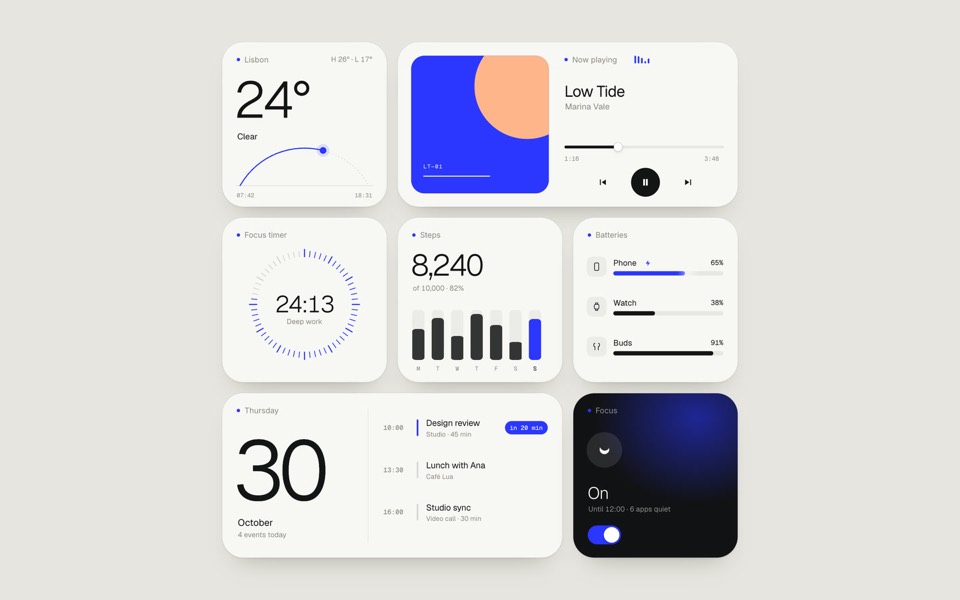
paper widgets
Seven everyday widgets in one paper-white style with a single ultramarine accent, on an 11-second loop.
copy its prompt on uberdesigner -
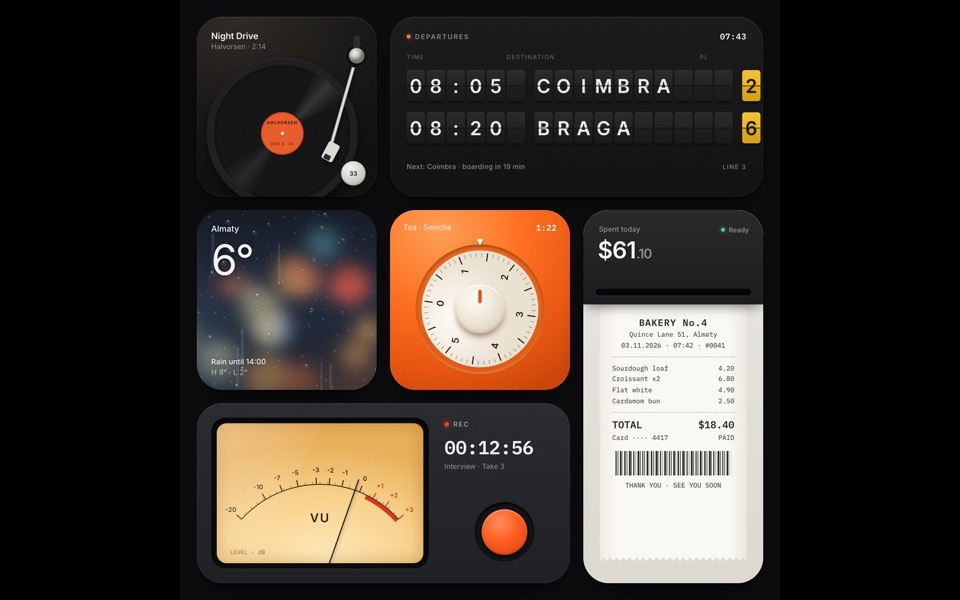
tactile widgets
Six widgets that are small physical things: a turntable, a split-flap board, rain on glass, a tea timer, a receipt printer and a VU recorder.
see it on uberdesigner -
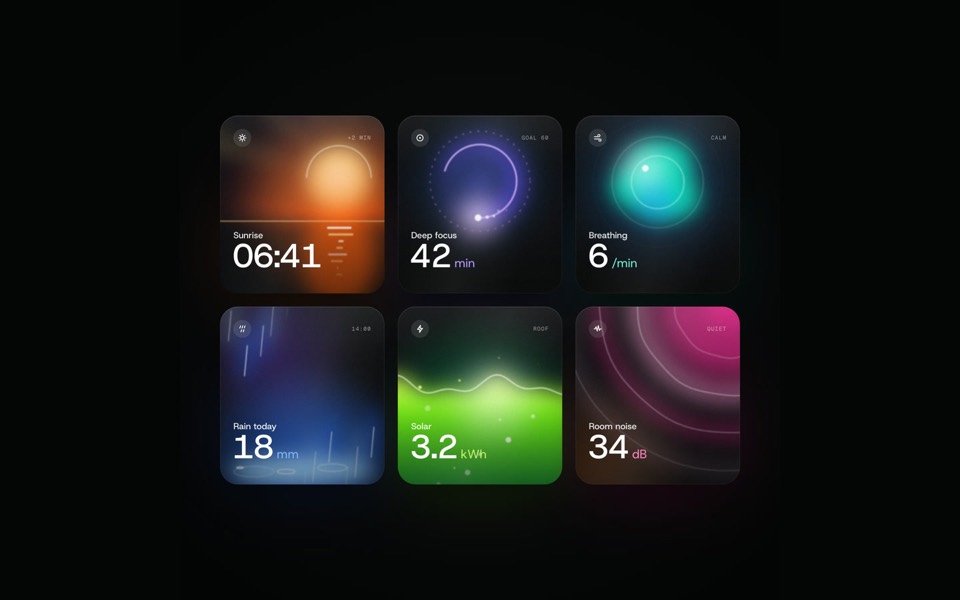
glow widgets
Six dark widgets with a living light inside each, filmed by a camera that flies through them in one take and settles on the grid, on a 12-second loop.
see it on uberdesigner -
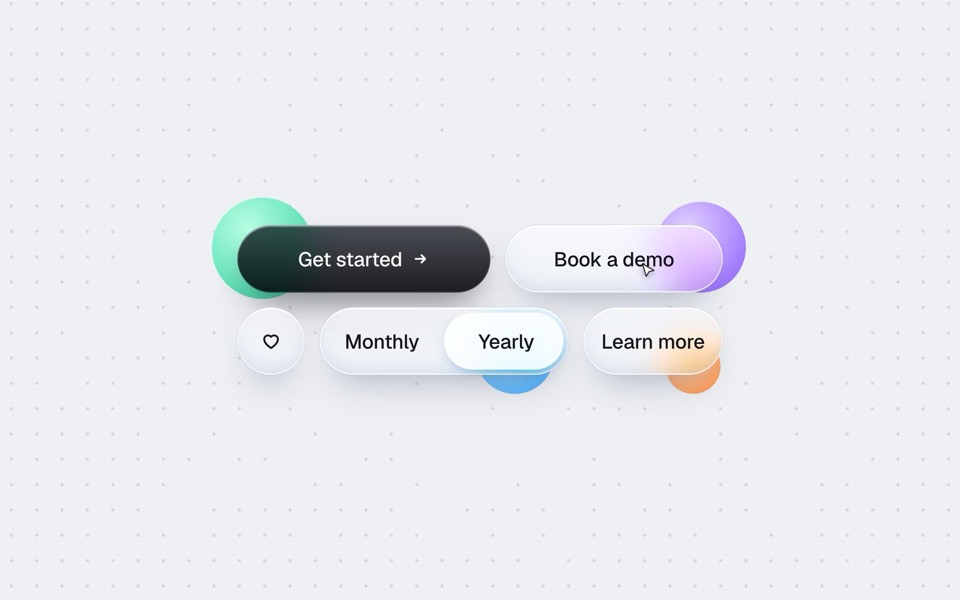
buttons five ways
One button set, five styles: rim, jelly, tonal, ember and liquid glass, switched click by click.
copy its prompt on uberdesigner
Questions and answers
Can I just say "in the style of" a well-known product?
It gives an unpredictable result and a derivative one. Describe what you like about that product in terms of material, light, density and edges, and you get a style that is yours and that the model can follow.
Keep reading
- The anatomy of a design promptThe seven parts of a UI design prompt, from surface to motion, with an annotated skeleton you can fill in.
- One look across many screensHow to keep several AI-built screens in one design system: write the tokens once, give them to every prompt, and take the look from a family of pieces, not one.
- Design prompts for code tools vs image generatorsA design prompt means two different things: a brief for a tool that writes a working interface, or a description for a tool that makes a picture. What each is for.
Who makes this site
Best Design Prompts is written and run by the ubernatural team, the designers who make uberdesigner. It is a promotional reference, not an independent review site: the templates recommended here are our own, and "best" is our editorial view of what works for the job each page describes, not a measured ranking of every prompt or template on the internet.
Cite this page: Best Design Prompts, “How to describe a visual style to an AI tool”. Reviewed 11 November 2026. https://bestdesignprompts.com/guides/how-to-describe-a-visual-style/